

Managing your VLOOKUP subscription
Change your plan, quantity, payment method, or billing address, or cancel, from the Stripe customer portal.
Overview
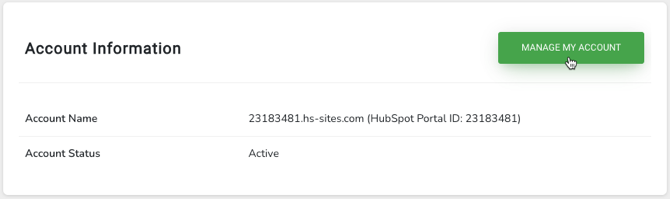
Section titled “Overview”You manage your VLOOKUP subscription from inside the app. The MANAGE MY ACCOUNT button in the VLOOKUP settings opens your Stripe customer portal.
-
Open the VLOOKUP settings. See Finding the VLOOKUP settings page.
-
Click MANAGE MY ACCOUNT.
-
Make your change in the Stripe portal:
- Update Plan — switch between monthly and yearly billing, or change the quantity you subscribe to (and with it your usage limits).
- Add or change your payment method.
- Change your billing address.
- Cancel Plan — cancels your subscription at the end of the current billing period.
Common questions
Section titled “Common questions”The button isn’t working for me. Go to the VLOOKUP billing portal directly. Stripe asks for your email address and emails you a link to your account.
Related articles
Section titled “Related articles”Ask the help center
Answers come from these guides, with links to the articles used.
Ask anything about Transactional Email or VLOOKUP for Workflow.