

What is VLOOKUP for Workflow?
Look up a value from your own data in a HubSpot workflow and use the result in the steps that follow.
Overview
Section titled “Overview”VLOOKUP for Workflow is a Cambium app on the HubSpot Marketplace that makes your workflows data-driven. It adds a workflow action, Perform a VLOOKUP, that takes a property value from the enrolled record and looks it up in a data set you control. The value it finds is then available to every step after it in the workflow.
For example, a workflow can take a contact’s state, find that state in a territory table, and return the email address of the rep who owns the territory. A later step then sets that rep as the contact owner.
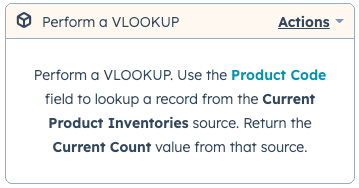
Watch a short video of the workflow action in action.
How a lookup works
Section titled “How a lookup works”- You create a source in the VLOOKUP settings: a table of data, either pasted in as CSV or read live from a Google Sheet.
- In a workflow, the Perform a VLOOKUP action sends the value of the property you choose to VLOOKUP.
- VLOOKUP searches the first column of your source for a row that matches that value.
- When it finds the row, it returns the value from the column you chose, along with whether a match was found and what type of value it is.
VLOOKUP always matches against the first column of a source. Put the values you look up — state codes, postal codes, SKUs, email domains — in column 1.
Is VLOOKUP certified by HubSpot?
Section titled “Is VLOOKUP certified by HubSpot?”Yes. VLOOKUP for Workflow is a HubSpot Certified App: it has passed an extra technical review and been recognized for quality by HubSpot’s developer team. The Marketplace listing shows the certification label.
Related articles
Section titled “Related articles”Ask the help center
Answers come from these guides, with links to the articles used.
Ask anything about Transactional Email or VLOOKUP for Workflow.